
Have you ever wanted to skip the long intro of a track or cut out an outro you don’t enjoy? Apple Music holds a surprisingly useful feature for listeners who want to fine-tune their audio experience, allowing you to set custom start and stop points for any song in your library. This guide will walk you through the steps to edit song times, turning your playlists into perfectly curated collections of your favorite musical moments.
Understanding Apple Music’s Playback Customization
Apple Music is packed with features designed to enhance how you interact with your music. Beyond streaming millions of songs, the service offers tools for personalization that many users overlook. The ability to trim a song’s beginning and end is one such tool, providing a level of control typically reserved for professional audio editors. This function is perfect for creating seamless mixes, focusing on a powerful chorus, or simply skipping a slow build-up to get to the heart of a track.
It transforms a passive listening session into an active, tailored experience. This capability is built right into the iOS and macOS music apps, requiring no additional software or technical expertise. Whether you are preparing a workout playlist that needs high-energy segments or a dinner playlist that benefits from smoother transitions, this feature is incredibly practical.
A Step-by-Step Guide to Setting Custom Song Times
The process is straightforward but requires you to be using the Music app on a Mac or a song that is already in your personal library on an iPhone or iPad. You cannot edit the start and stop times for songs you are streaming directly from Apple Music’s catalog without adding them to your library first. This distinction is important for understanding the feature’s scope and limitations.
Editing Song Times on Your Mac Computer
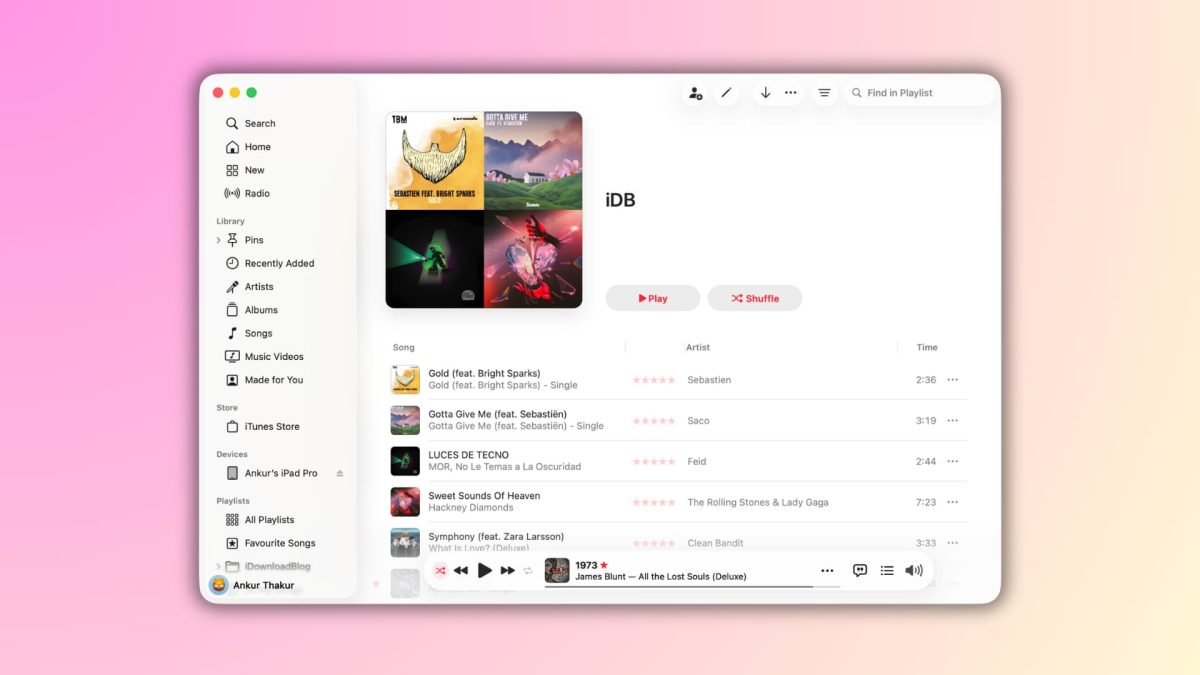
Begin by opening the Music application on your Mac. Locate the song you wish to edit within your library, right-click on it, and select ‘Get Info’ from the contextual menu that appears. A new window will pop up with several tabs across the top; navigate to the ‘Options’ tab. Here you will find fields labeled ‘Start Time’ and ‘Stop Time’.
In these fields, you can enter the precise minute and second where you want the song to begin and end. The format is simple: for example, to start at 30 seconds, you would type ‘0:30’. To end at two minutes and fifteen seconds, you would type ‘2:15’. Once you have entered your desired times, click the ‘OK’ button to save your changes. The song will now play only within that custom window whenever you play it from your library.
Adjusting Playback on Your iPhone or iPad
The process on iOS and iPadOS is very similar, though the menu options are slightly different. First, ensure the song you want to edit is in your library. You can add it by tapping the ‘+’ icon or the ‘Add to Library’ button when viewing a song in Apple Music. Once the song is in your library, go to your library and find the track.
Tap the three-dot menu icon next to the song’s title, then scroll down and select ‘Edit’. From there, tap on ‘Start Time’ or ‘Stop Time’ to bring up a number pad where you can input your chosen times. After entering the values, tap ‘Done’ to save your edits. The change will sync across your devices via iCloud Music Library, so your custom trim will be in effect whether you listen on your phone, tablet, or Mac.
Practical Applications and Creative Uses
This feature is more than a novelty; it has several practical applications for everyday listeners and creatives alike. For instance, if you are a dancer or fitness instructor, you can trim songs to match the exact length of a routine. This ensures your performance or class flows perfectly without awkward pauses or sudden cuts. Similarly, podcasters and content creators can use this to intro or outro their shows with a specific, consistent musical segment.
For the average user, it is perfect for creating a highlight reel of your favorite guitar solos, cinematic orchestral swells, or catchy hooks. It allows you to essentially remix your library without any audio editing skills. Imagine a playlist where every song jumps right into the action, or a calming playlist where all the fade-outs are smooth and extended. The creative control is entirely in your hands.
Limitations and Considerations to Keep in Mind
While powerful, this feature does come with a few caveats. The edits you make are applied to the song file’s metadata within your library, not to the original file on Apple’s servers. This means the changes are personal to you and will not affect how the song plays for other users. Furthermore, if you disable iCloud Music Library or remove the song from your library, these custom settings will be lost and you would need to reapply them if you readd the track.
It is also worth noting that this feature works best for simple trimming at the very beginning or end of a track. It is not a full-fledged audio editor for making cuts in the middle of a song. For more complex audio projects, dedicated software would be required. However, for its intended purpose of customizing playback boundaries, it is an exceptionally handy tool baked into the Apple ecosystem.
Beyond Music Trimming: Controlling Your Digital Experience
Taking control of your music playback is part of a broader trend toward personalizing our digital environments. Just as you might customize the start and end of a song, having control over your device’s functionality is equally important. For example, ensuring your phone is carrier-unlocked gives you the freedom to choose your network, much like choosing which part of a song to play. Services that facilitate this, like the free and trusted phone unlocking service at Fix7.net, empower users to break free from restrictions and fully own their device’s capabilities.
This philosophy of user empowerment extends to device security, repair, and accessibility. Understanding the tools at your disposal, whether in a music app or a system setting, allows you to craft a technology experience that truly fits your life. It is about moving from a default setup to a custom-configured one that serves your specific needs and preferences.
The Future of Personalized Audio and Device Interaction
Looking ahead, we can expect these types of micro-customizations to become even more prevalent and intelligent. Imagine music services that learn your preferred song segments and automatically create mixes based on them, or that seamlessly blend tracks based on your custom start and end points. As artificial intelligence and machine learning become more integrated into our apps, the line between user input and automated personalization will continue to blur.
The core principle, however, will remain: giving users more granular control over their digital content. The ability to edit song times is a small but significant step in that direction, reflecting a larger shift in software design toward flexibility and user agency. As our devices become more central to our lives, the demand for features that allow this level of personal tailoring will only grow, shaping the next generation of mobile and entertainment software.